
The usual onboarding advice—shorten the tour, reduce fields, add a checklist—is directionally useful and incomplete. A short flow can still lead users to the wrong action. A completed checklist can still leave the account empty. Tooltips can make a screen busier without making the product more understandable.
SaaS onboarding works when a specific user reaches a specific first value with enough context to repeat it. The design should reduce uncertainty around that outcome, not introduce every feature.
1. Start with the job that caused signup
Do not begin the flow with the product’s navigation. Begin with the reason the user arrived.
A founder evaluating analytics, an engineer installing an SDK, and a support lead investigating a complaint may share an account but need different first actions. Ask only for information that changes the path, and infer the rest from behavior when possible.
Write one first-value statement per important role: “See the first replay from my application.”; “Invite my team and complete one shared review.”; “Connect billing and reconcile the first account.”; and “Import data and receive the first useful report.”.
If the team cannot agree on the first value, a checklist will only hide the disagreement.
2. Separate necessary setup from education
Setup enables value. Education explains how to repeat or expand it. Combining both into one long tour delays the result.
For every step, ask: Is this required before first value? Can the product perform or prefill it safely? Can it wait until the user needs the feature? Does the explanation make the next action more confident?
Move advanced configuration and secondary features after activation. Keep critical prerequisites in the path and explain why they matter before asking for effort or permission.
3. Make waiting states part of onboarding
SaaS products often rely on imports, verification, teammates, approvals, or data arrival. Hiding the wait makes the product feel broken.
A useful waiting state says: What is happening; how long it normally takes, when defensible; whether the user can leave safely; how they will know it finished; what useful action can happen meanwhile; and what to do if it does not complete.
Track the start and finish of the wait separately from the user’s active effort. Otherwise time-to-value data will blame the UI for an external dependency or ignore a stalled job.
4. Preserve progress across exits
Users leave onboarding to find keys, confirm email, ask a teammate, compare plans, or complete authentication. A return should restore context rather than restart the flow.
Preserve completed steps, safe form state, the intended destination, and any pending job. After an external callback, show what succeeded and the next action. This is especially important on mobile, where backgrounding, system prompts, and app restarts are normal parts of the path.
Replay failed returns. A high-level funnel often attributes the loss to the callback route, while the actual problem is missing state or an unclear success screen.
5. Use checklists as status, not decoration
A checklist helps when each item represents meaningful progress and updates from verified state. It hurts when it becomes a second navigation menu or awards completion for shallow clicks.
Good items are outcome-based: first data source verified; first report received; teammate completed invitation; and alert successfully tested.
Weak items are exposure-based: visit analytics; open settings; and watch tutorial.
Let users skip optional education. Do not let the checklist claim an integration is complete before the backend agrees.
6. Explain permissions before the prompt
Browser, mobile, data, and workspace permissions create friction because the decision is consequential and sometimes irreversible without leaving the flow.
Explain the value and scope immediately before the system prompt. If denial is recoverable, show how to continue with reduced capability or how to enable the permission later. Avoid asking for every permission on the first screen simply because the SDK makes it easy.
Review denial and abandonment by platform, device, and release. A prompt that works on desktop may feel abrupt in a mobile first session.
7. Design error recovery as a first-class path
The happy path is only one onboarding path. Verification fails, credentials expire, providers throttle, and users paste the wrong value.
For each required step, define:
| Failure question | Product decision |
|---|---|
| Can the user fix it here? | Keep context and show the precise next action |
| Is the problem temporary? | Explain retry behavior and avoid duplicate work |
| Is another route available? | Offer it without erasing progress |
| Does support need context? | Carry safe identifiers and the failed state |
| Did the server succeed despite a client timeout? | Reconcile before allowing another attempt |
Generic “Something went wrong” messages turn recoverable setup into support work.
8. Support invited users differently
Invited members often land in an owner-centric flow that asks them to configure billing, connect data, or make workspace decisions they cannot perform.
Detect account role and current workspace state. An invited analyst may need orientation to existing data; an administrator may need security and access setup; a collaborator may reach value by completing one shared action.
Measure these populations separately. Mixing owners and invited users can make a healthy collaborator experience look like onboarding abandonment.
9. Pair aggregate metrics with session evidence
Track activation rate, time to value, step loss, return, and early retention. Then inspect successful and failed sessions for the largest transition.

Look for repeated uncertainty: backtracking, help visits, long pauses, repeated taps, validation loops, slow requests, crashes, or missing success feedback. Compare against healthy sessions so normal exploration is not mislabeled as friction.
10. Optimize the outcome, not completion alone
Every onboarding experiment needs a downstream guardrail. A shorter flow can raise completion while lowering setup quality. Auto-populated sample data can create an impressive first screen while postponing the user’s real integration.
Measure: activation quality; repeat core action; appropriate early retention; support contacts; errors and stability; and upgrade, cancellation, or refund when relevant.
The best variation is the one that helps more users reach durable value, not the one that dismisses onboarding fastest.
A small onboarding review cadence
Weekly, choose one transition rather than redesigning the entire flow:
- Identify the largest excess loss or delay
- Compare affected cohorts and releases
- Review a balanced set of successful and failed sessions
- Name the repeated uncertainty or failure
- Ship one change with a clear verification metric
This creates a learning loop. It also prevents every dip from producing another tooltip.
Use real onboarding sessions as the review
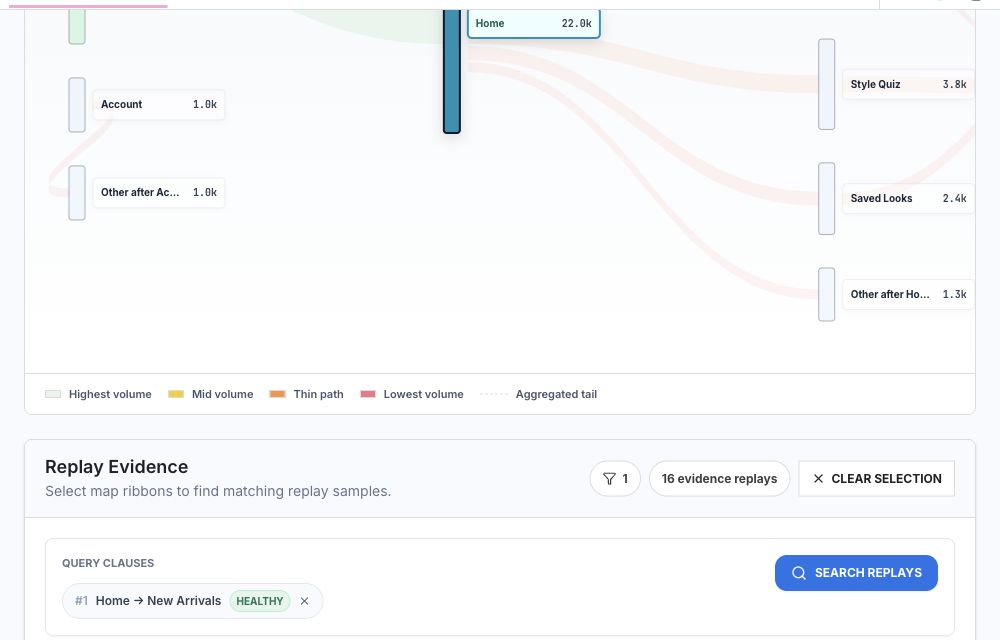
Rejourney shows how new accounts move from their entry point to the first verified result. Filter by role, acquisition path, release, or setup choice; then compare the stalled sessions with users who completed the same job. That evidence keeps an onboarding review focused on one transition at a time.
Measure the path with onboarding funnel analytics and test the endpoint with user activation metrics.