Stability monitoringStabilityMobile apps, Web apps, Engineering

Stability monitoring with replay context for crashes, errors, and ANRs

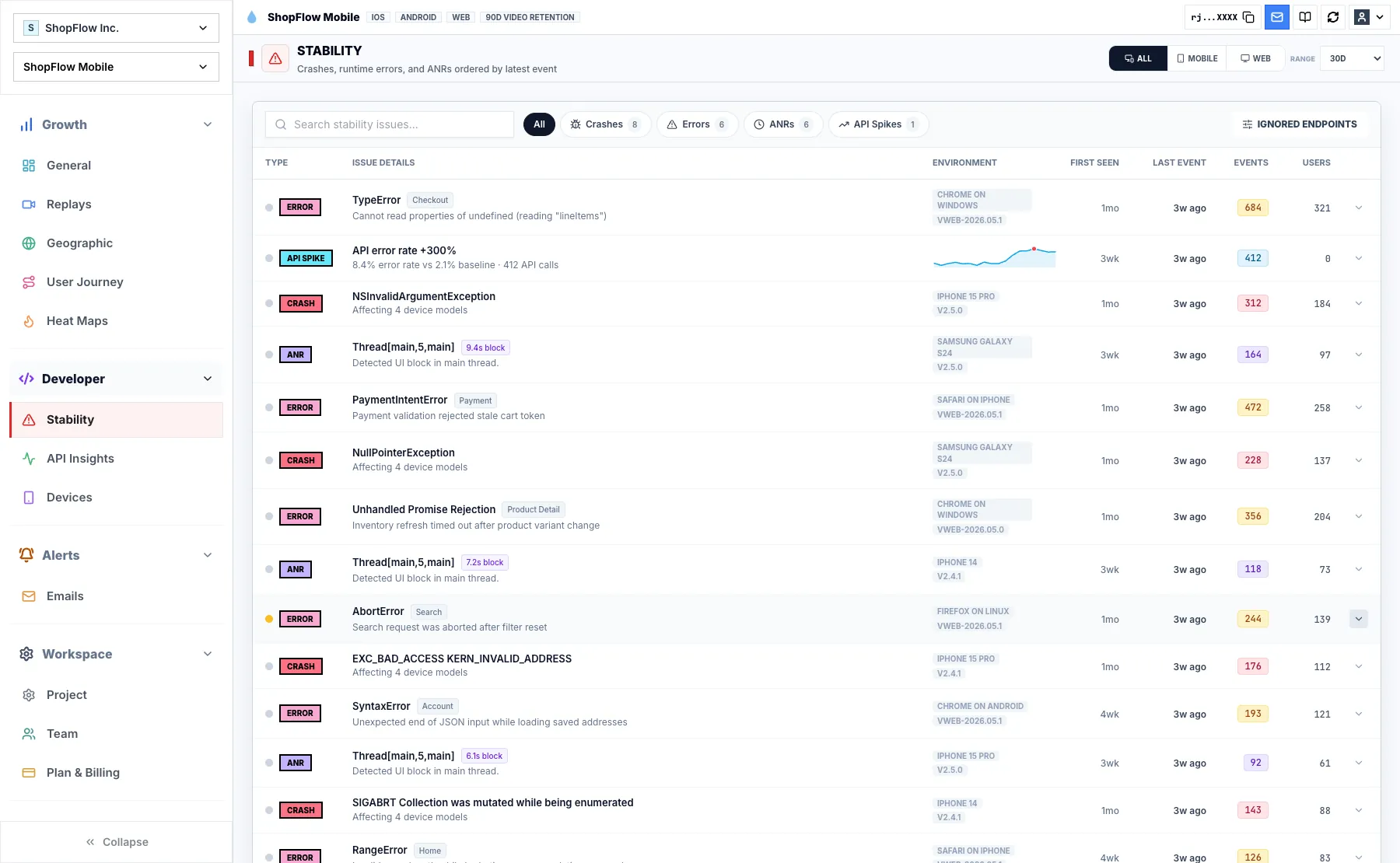
Group crashes, errors, ANRs, and API spikes with affected users, devices, releases, and replay evidence.

Rejourney stability monitoring dashboard with crashes errors ANRs and API spikes
Connect failures to the user pathStability monitoring is stronger when the failure carries the path, device, app version, and replay context that shaped it.

Stability issues are easier to fix when the session is attached

A stack trace can explain where code failed, but it does not always explain what the user was doing, which device was involved, or which release introduced the pattern.
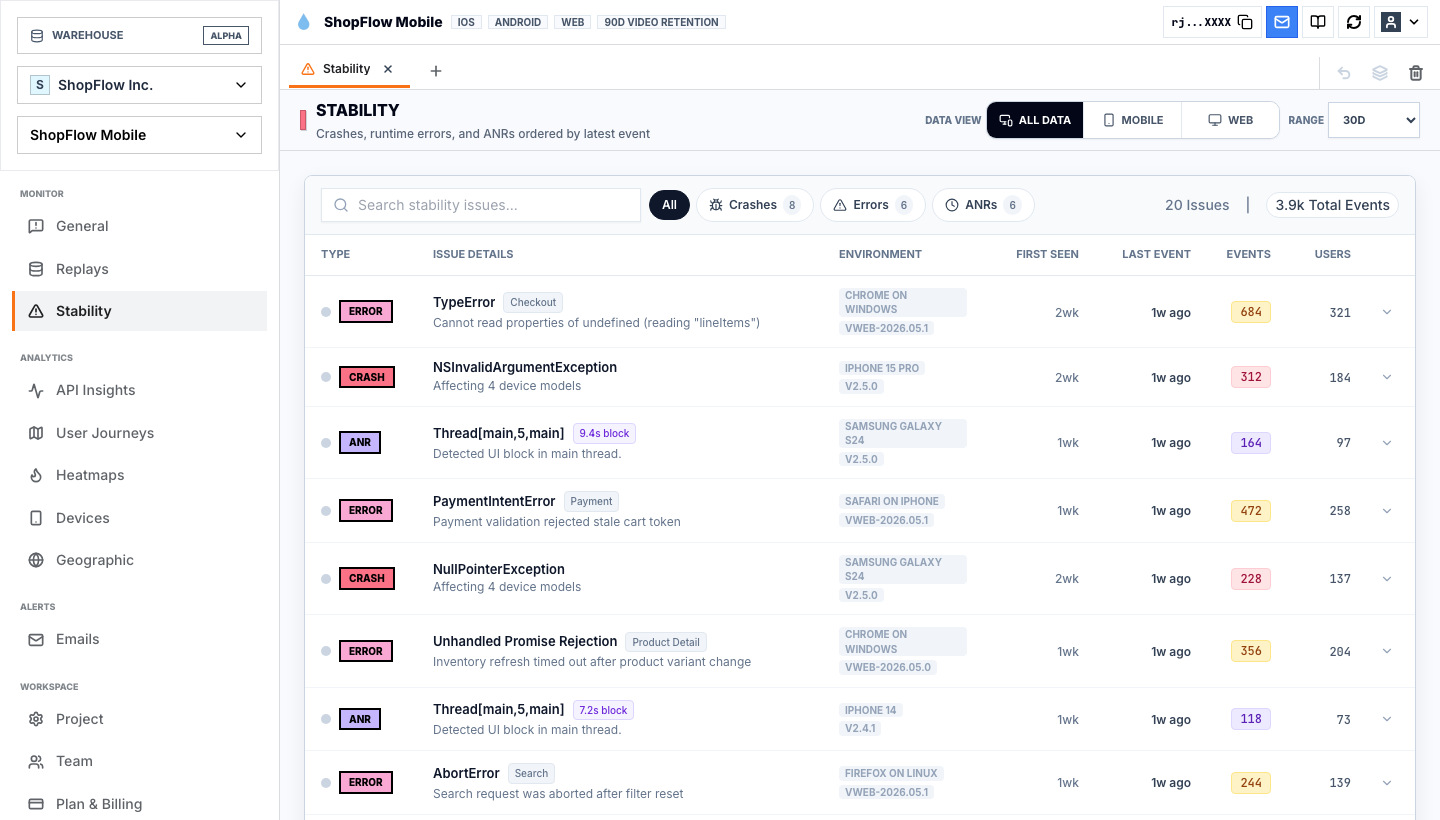
Rejourney's stability workflow groups crashes, errors, ANRs, and API spikes, then keeps session replay, affected devices, app versions, and user impact close to the issue.

That gives engineering a faster starting point and gives product teams a clearer view of which stability issues are actually shaping conversion, retention, and support volume.
Group failures before assigning priority

Stability triage gets noisy when every crash, error, ANR, and API spike becomes a separate task. Grouping repeated failures lets the team see affected users, event count, last occurrence, and the context that makes the issue worth repairing.

Rejourney's stability page keeps those groups beside replay availability, device context, app versions, and API spikes so engineering and product can judge impact from the same evidence.

  • Crashes, errors, ANRs, and API spikes in one workflow.
  • Affected users and event counts visible before drilldown.
  • Replay links and device context preserved for reproduction.
Rejourney ANR issue dashboard with production failure context
ANR contextUse replay and issue context to understand freezes and unresponsive moments.

Use replay to understand what happened before the failure

A failure often depends on the path that led to it: a gesture, a loading state, a failed request, or a device-specific state that never appears in local testing.

Opening the replay before writing the ticket helps the team describe expected behavior, observed behavior, and the smallest reproduction path without asking the user to recreate the failure.

Rejourney device insights linked to stability monitoring
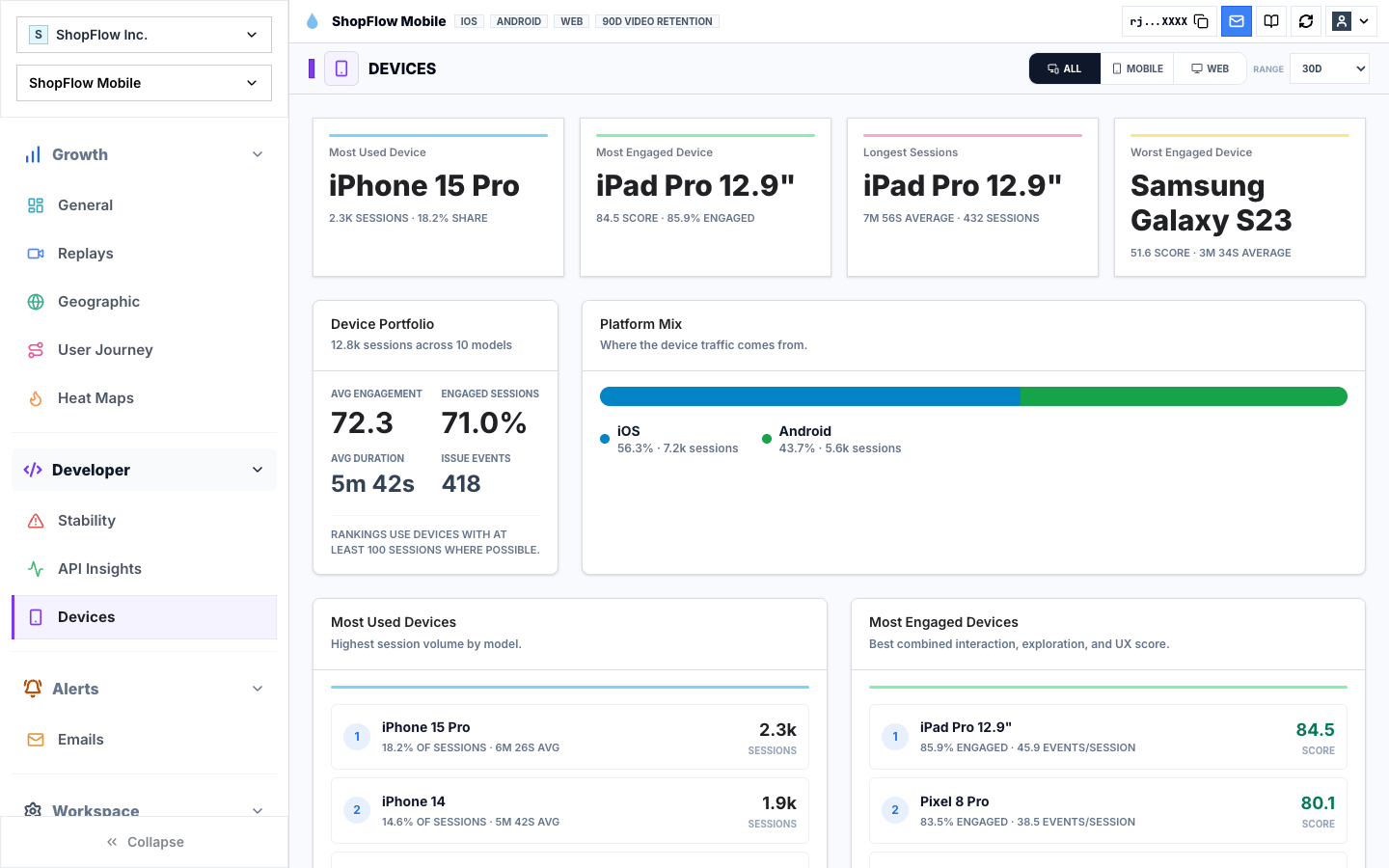
Affected devicesPrioritize failures by the device and app-version cohorts that carry them.

Separate release, device, and API causes

The same symptom can come from different causes. A crash spike after a release, an ANR concentrated on one device family, and an API spike during checkout should not be handled as the same class of work.

Use stability monitoring with device insights and endpoint insights to split those causes before assigning ownership.

Rejourney session replay with timeline and user context
ReplayWatch the real session before deciding what the metric means.

Implementation notes

These are the checks another engineer should be able to use before trusting the feature in production.

  • Capture app version, SDK version, device model, OS version, route, and screen context with stability events.
  • Link crash, error, and ANR groups back to representative sessions when available.
  • Track API spikes beside stability issues so backend regressions are not mistaken for frontend bugs.
  • Filter by issue type and affected cohort before assigning severity.

When to use a lighter signal

  • A stack trace is usually enough to reproduce your production bugs.
  • You do not need replay, device, release, or API context around stability issues.
  • Product and support teams do not participate in stability prioritization.

Questions teams usually ask

What stability signals does Rejourney track?

Rejourney tracks crashes, errors, ANRs, and API error spikes, with replay and context that help teams understand the user experience around the failure.

Why pair replay with crash analytics?

Replay shows the path, screen, gesture, device, and state before the failure, which can make a crash or ANR much easier to reproduce.

Can product teams use stability monitoring?

Yes. Product teams can see which failures affect real user flows, while engineering gets the technical evidence needed to repair the issue.

Related reading

  • Pricing: See Rejourney's fixed-price plans and included platform limits.
  • Live demo: Open the demo dashboard and inspect the replay, heatmap, journey, and stability views.
  • React Native SDK: Install mobile session replay for React Native and Expo apps.
  • Web SDK: Add browser session replay, analytics, and network capture to a web app.