The leaks page turns raw sessions into a ranked repair queue
A funnel leak is not just a chart that went down. It is the repeated moment where users lose intent: a dead checkout button, a loop between screens, a slow API call, a rage tap cluster, a crash, or a path that looks healthy until replay shows confusion.
Rejourney's leaks page groups those signals into ranked issues, then keeps the replay, journey, technical context, and affected user evidence close enough for product and engineering to act together.
That means teams can move from 'conversion dropped' to 'this path, this screen, this request, these sessions, this likely fix' without stitching together separate dashboards.
Open the leaks page before opening random sessions
The leaks page is the triage surface for repeated friction. Instead of starting in a replay archive, the team starts with grouped issues that already point to a funnel drop, rage tap cluster, crash, API failure, journey loop, or blocked product path.
That changes the review from clip hunting to issue ranking. Product can ask which leak costs the most intent, growth can look for revenue impact, and engineering can open the exact sessions that prove the failure.
- Repeated product and technical signals grouped together.
- Replay evidence attached to the issue instead of stored elsewhere.
- Affected paths, sessions, and context ready for the owner.

Rank leaks by user impact and fixability
A useful leaks page should not treat every signal as equal. A one-off confusing session, a repeated checkout failure, and a release-specific crash all need different priority.
Rejourney keeps the issue list tied to user impact and supporting evidence, so the team can see whether a leak is repeated, whether it blocks conversion, and whether the available context is enough for someone to repair it.
- Prioritize repeated leaks over isolated oddities.
- Check the path and session sample before assigning work.
- Keep technical signals close enough to prove the likely cause.

Inspect the replay evidence behind the issue
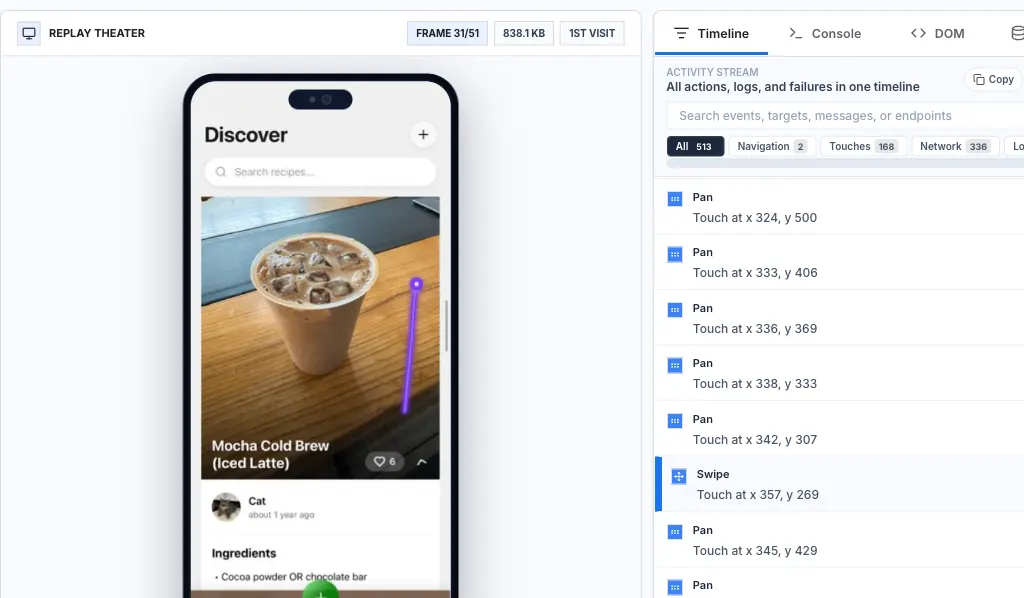
The issue summary is only the door. The proof is still the session: what the user saw, which path they took, where they hesitated, what request failed, and whether a crash or UI state shaped the outcome.
When the replay evidence stays attached, the team can verify that the issue description matches reality before it becomes roadmap work or an engineering ticket.

Use journey paths to prove the leak repeats
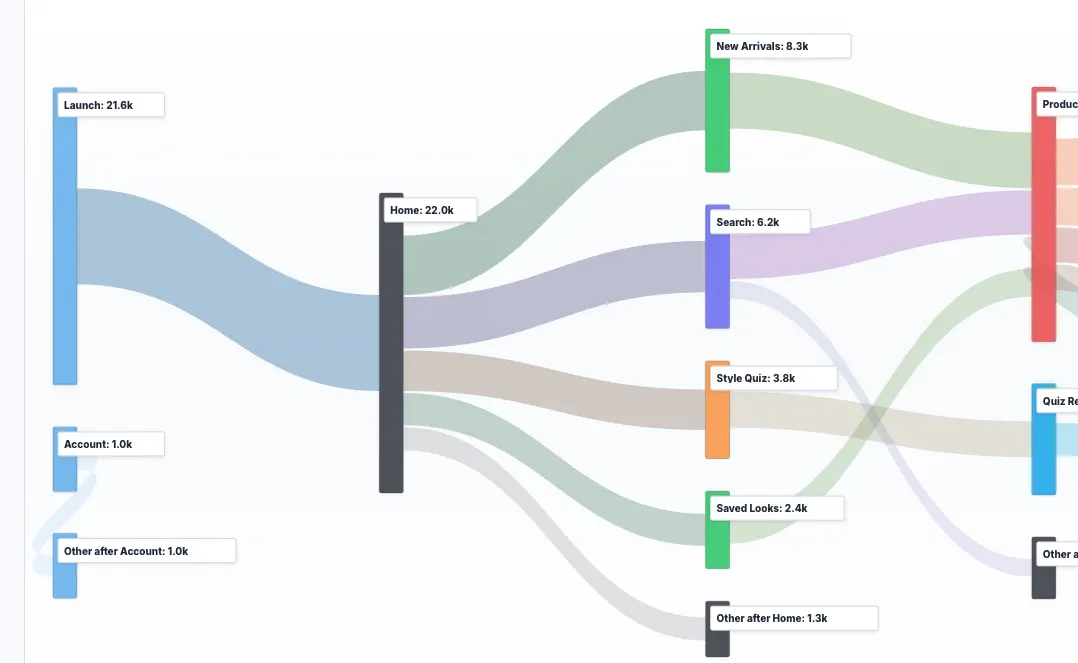
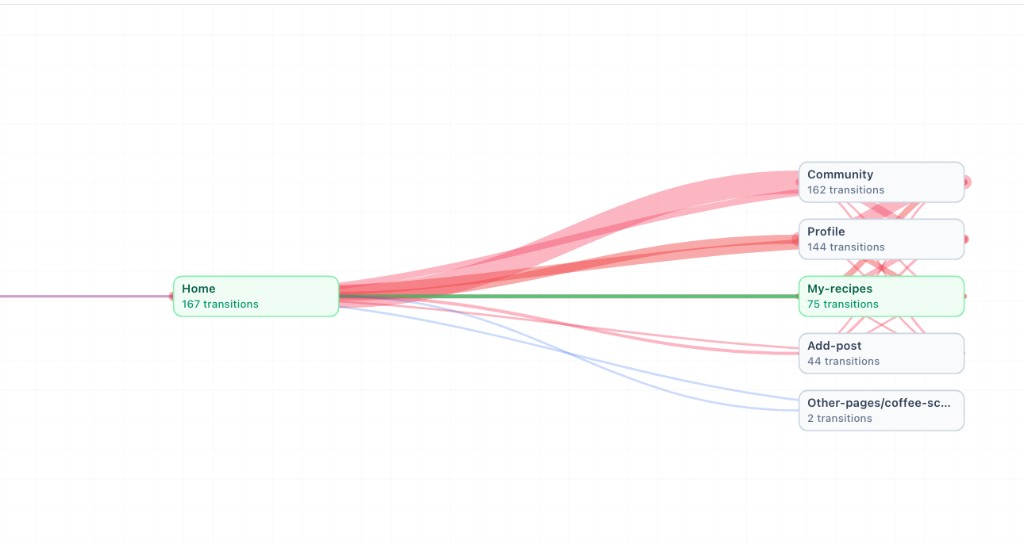
Some leaks are path-shaped. Users branch, loop, or drop after a transition rather than at a single obvious button. Journey ribbons make those patterns easier to spot and easier to explain.
From the leaks page, the journey evidence helps the team decide whether the issue is a repeated funnel problem or just one strange session. That context matters before assigning priority.

Package the fix context for engineering or an AI workflow
Once a leak is real and repeated, the handoff should include the path, expected behavior, observed behavior, affected sessions, relevant events, failed requests, release or device context, and replay links.
That gives an engineer or coding agent enough evidence to begin reproducing the issue instead of asking someone to rewrite the same investigation in a ticket.
- Expected and observed behavior.
- Replay links and affected session examples.
- Events, requests, crashes, devices, releases, and journey context.
- A short fix hypothesis that can be tested.
Implementation notes
These are the checks another engineer should be able to use before trusting the feature in production.
- Do not file a leak until the replay evidence supports the issue summary.
- Keep grouped issues tied to route, screen, release, platform, and affected user context.
- Use journey ribbons when the failure is a path or transition problem.
- Package expected behavior, observed behavior, replay links, and technical context before handing the leak to engineering or an AI coding workflow.
When to use a lighter signal
- Your team only needs high-level conversion rates and does not investigate the sessions behind them.
- You already have a reliable issue queue that links funnel drops to replay, journey, API, and crash context.
- Your product does not need product and engineering teams to share the same evidence when prioritizing fixes.
Questions teams usually ask
What does the Rejourney leaks page show?
It shows ranked product and technical issues such as funnel drop-offs, rage taps, crashes, API failures, and repeated journey loops, with replay evidence and context for each item.
How is AI used in funnel leak detection?
AI helps cluster repeated session signals into fixable issues and prepare context packages, but the workflow stays grounded in real replay, journey, event, crash, and request evidence.
Who should use the leaks page?
Product teams use it to prioritize conversion leaks. Engineering teams use it to reproduce the cause. Growth teams use it to connect leak repair with revenue and retention movement.
Related reading
- Pricing: See Rejourney's fixed-price plans and included platform limits.
- Live demo: Open the demo dashboard and inspect the replay, heatmap, journey, and stability views.
- React Native SDK: Install mobile session replay for React Native and Expo apps.
- Web SDK: Add browser session replay, analytics, and network capture to a web app.