
Fullstory is a highly capable product. However, for smaller or indie product teams, its enterprise-first design can sometimes introduce more complexity than value.
When you are operating at scale with dedicated data governance officers, procurement departments, and product operations teams, a broad digital experience intelligence platform makes complete sense. Fullstory has built its offering to cater to these organizations, packaging its software with features like advanced data warehouses, workforce analytics, and enterprise privacy compliance models.
But if you are a smaller product team, your daily requirements are usually much more direct:
- What did this user see when they encountered a bug?
- Why is the signup or subscription flow leaking users?
- Is this support complaint isolated, or is it a widespread issue?
- Did the user rage click, hit an API error, or experience an app crash?
- Can we diagnose and deploy a fix today without navigating multiple dashboard layers?
A great Fullstory alternative for a small team should focus on keeping session replay close to the actual code fix.
Why small teams look for Fullstory alternatives
The search for alternatives is rarely because Fullstory lacks features. Instead, it is usually because the platform feels over-engineered for the team's current stage.
Fullstory's public plans (Business, Advanced, and Enterprise) require custom pricing requests. Features like mobile app support often require separate add-ons or demo requests. While this works well for enterprise buyers, it can feel slow and complex for teams that just want to start tracking sessions.
For smaller teams, the core challenges with enterprise-level suites include:
- Information Noise: When session replay is buried inside an extensive feature set, simple tasks like watching a single session to troubleshoot a ticket can take more steps.
- Disconnected Evidence: If product behavior analytics are separated from engineering error trackers, you end up passing vague bug descriptions back and forth between teams.
- Unpredictable Costs: Usage-based tiers, seat licenses, and add-on modules make it difficult to forecast costs as your user base grows.
The goal when looking for a replacement is not to find a weaker tool, but a more focused one.
Session replay for daily workflows
For a small team, session replay is not an academic research archive; it is an active debugging tool.
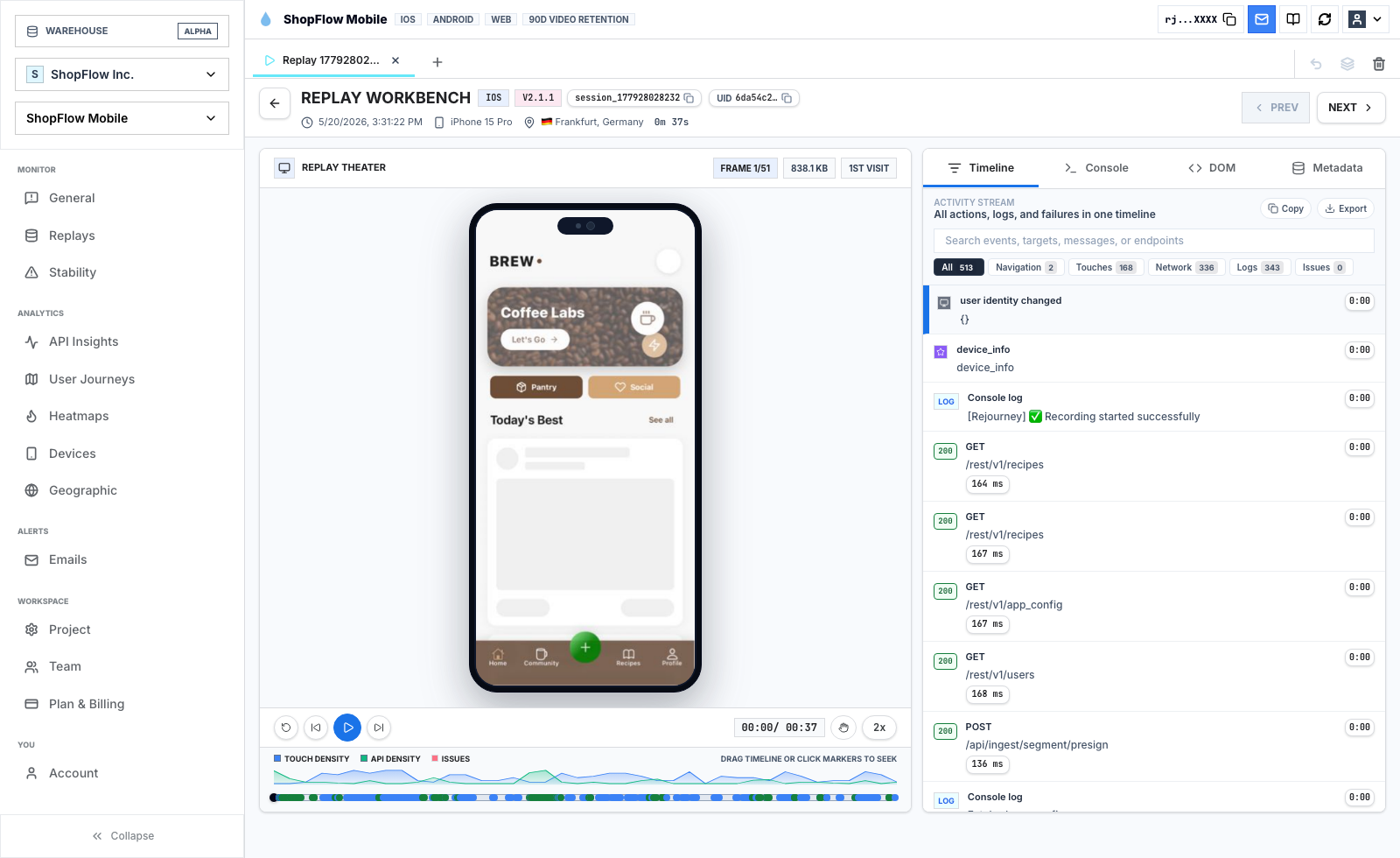
Your support team should use it to verify bug reports, product managers should watch it to identify onboarding drop-offs, and engineers should use it to inspect API payloads. For this to work, the session player must display all relevant data points in one place:
- DOM playback with click, scroll, and touch indicators.
- User action timelines.
- Consolidated network request lists.
- Console error logs.
- Native mobile crash contexts.
Having this information in a single tab allows you to identify the problem and jump straight to the fix.
Clear and predictable pricing
When researching Fullstory alternatives, pricing is often a primary concern. The issue is not just the total cost, but the predictability of the billing.
Enterprise platforms often package features like native mobile support as custom add-ons. For smaller teams, this pricing structure makes it hard to instrument their apps fully. If you have to restrict what events or devices you track to avoid exceeding your budget, you lose the complete visibility you need.
A simpler model that groups features together without charging for extra seats or basic event volume allows teams to instrument their products thoroughly.
Using analytics to find the right sessions
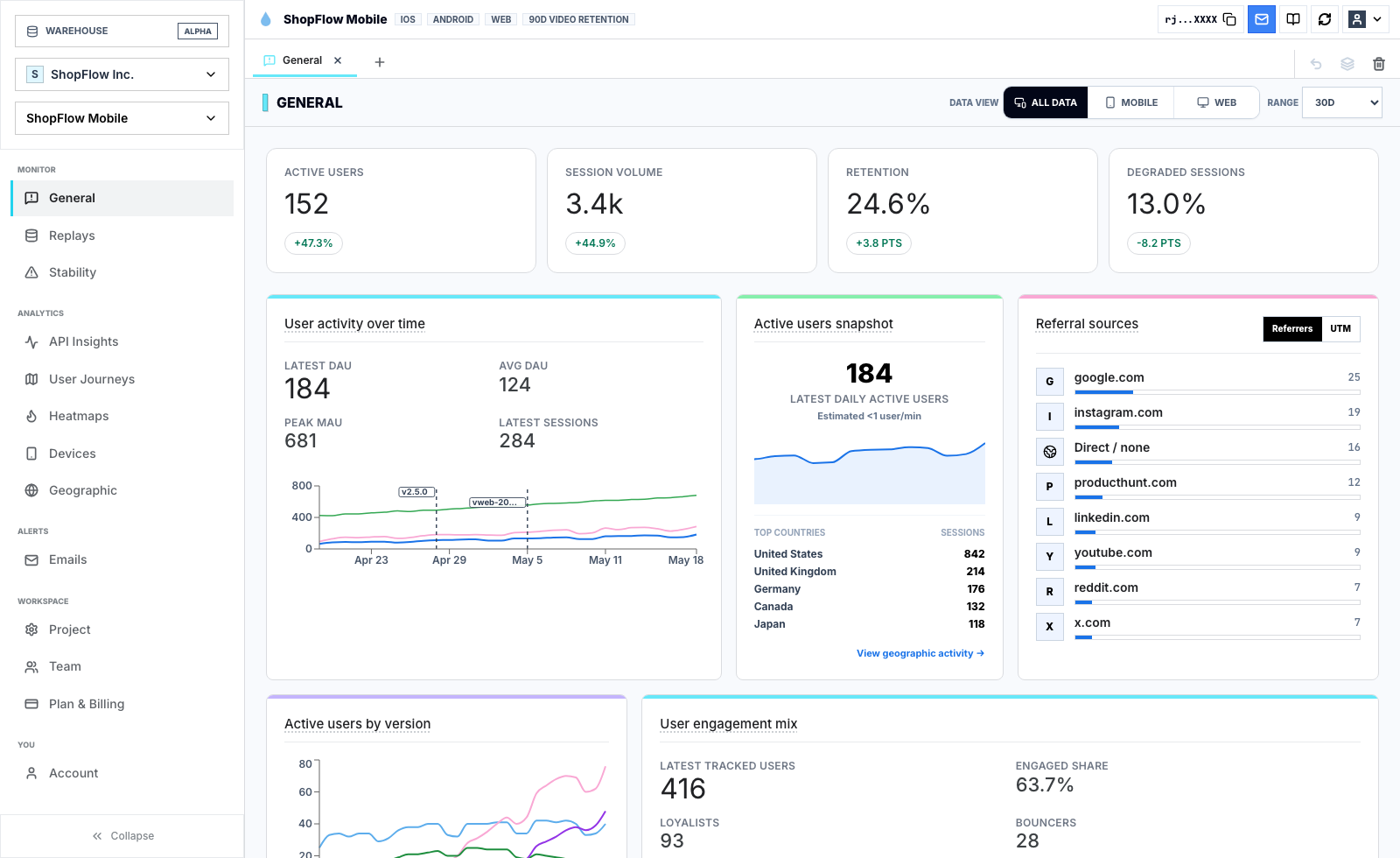
Small teams do not have the bandwidth to manage massive analytics taxonomies. They need simple dashboards that point them directly to the sessions that matter.
Instead of building complex, custom queries, your analytics should quickly answer:
- Which path in our conversion funnel has the highest drop-off?
- Are we seeing a spike in failed API requests on specific routes?
- Which app version or device model has the highest rate of degraded sessions?
Once you identify a drop-off point in your dashboard, you should be able to click directly into the replays of the affected users to understand the cause.
Journeys over individual sessions
While watching a single session can provide great insights, it can also lead to over-indexing on a single user's experience. You do not want to redesign a feature based on one unusual user flow.
Journey maps help keep you grounded by showing the aggregated paths of all users:
- Where do users typically go after landing on a page?
- Do they loop back and forth between two screens, indicating confusion?
- How does the user journey differ between converting and non-converting cohorts?
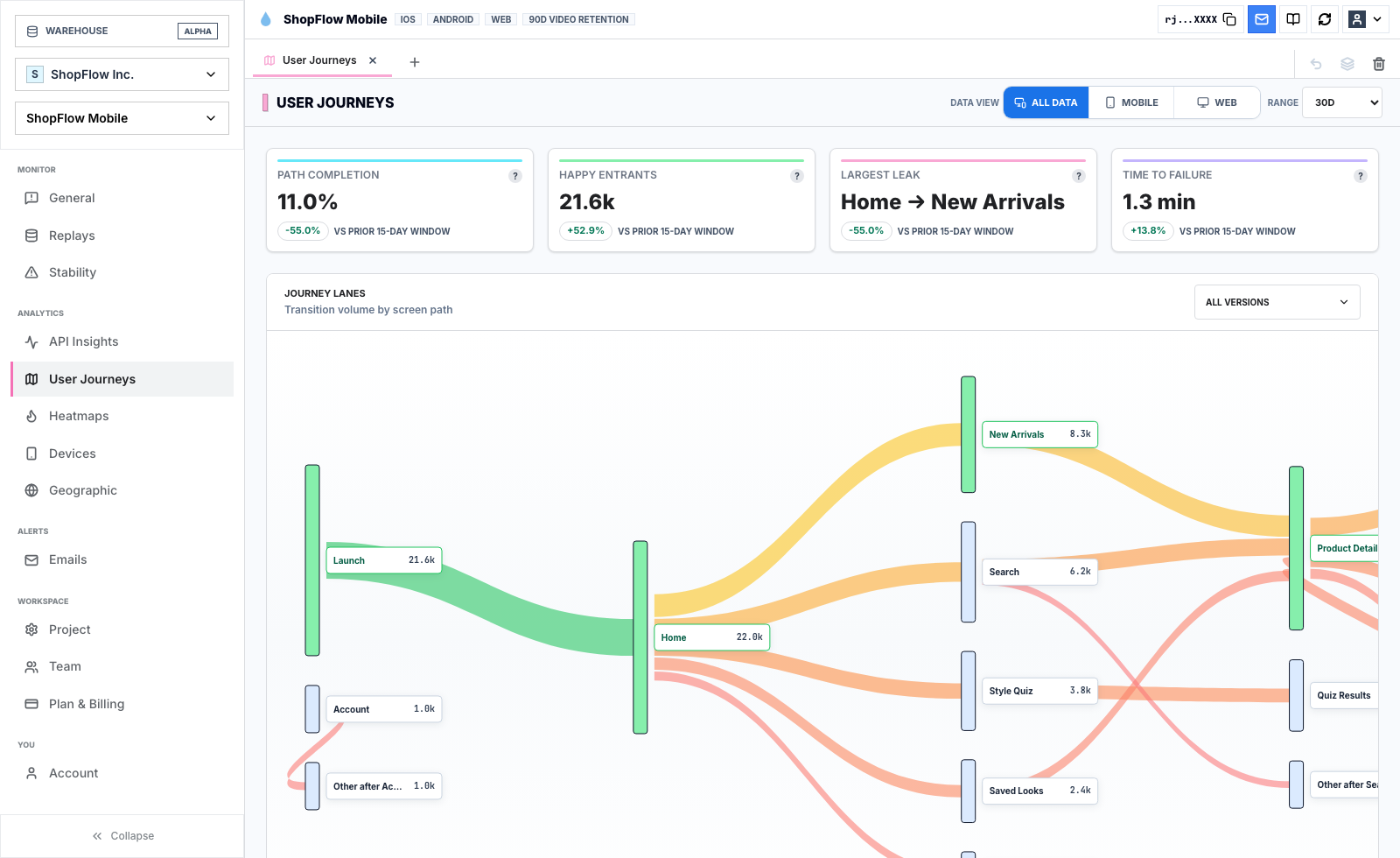
This view helps you verify that a friction point is actually affecting a significant portion of your users before you spend time developing a fix.
Mobile replay is not an add-on
If your product has native iOS or Android apps, mobile session replay is essential. Web and mobile environments behave very differently, and mobile debugging requires specific capabilities:
- Capturing native gestures like pinch-to-zoom and swipes.
- Tracking application states (e.g., active, backgrounded, resumed).
- Recording native crashes and Application Not Responding (ANR) details alongside the session timeline.
Make sure your choice of tool supports mobile tracking as a core feature rather than a secondary add-on.
Bridging the gap between UX and engineering
UX issues are often caused by hidden technical bugs. If a user click fails to register, it could be a design flaw, or it could be a slow API response or a silent JavaScript exception.
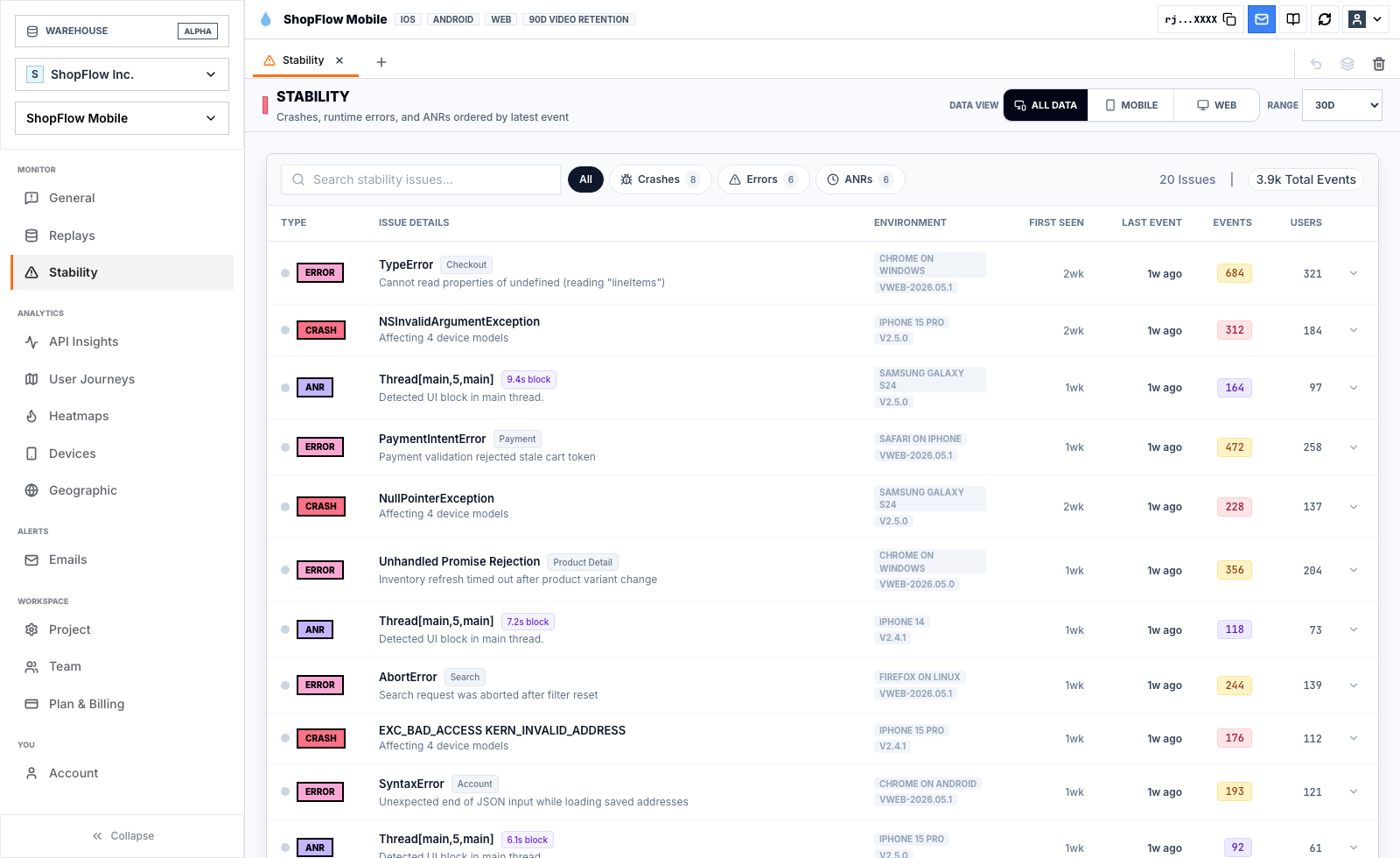
When your behavior analytics and technical diagnostic logs reside in the same session player, your product and engineering teams can work from the same set of facts, speeding up resolution times.
Evaluating alternatives: A checklist for small teams
Use this checklist to evaluate lightweight Fullstory alternatives:
| Evaluation Criteria | What to Look For |
|---|---|
| Setup speed | Can you install the SDK and see sessions in minutes? |
| All-in-one viewer | Are replay, console logs, and network tabs in one place? |
| Mobile support | Does it offer native SDK support without separate plans? |
| Path analysis | Can you view aggregated user journeys alongside individual replays? |
| Seat limits | Can you invite your entire team without paying per seat? |
| Predictability | Is the pricing model simple and transparent? |
Where Rejourney fits
Rejourney is designed as a focused Fullstory alternative for teams that want clear session insights without the overhead of an enterprise suite.
It provides:
- Web and Mobile Replay: Native support across web and mobile surfaces.
- Integrated Diagnostics: Network payloads, console errors, and crashes visible next to playback.
- Direct Funnel-to-Replay Navigation: Click any conversion drop-off point to see the corresponding user sessions.
- Predictable Flat Pricing: Packages that include unlimited events, team members, and projects.
For a summary of key features, see Rejourney vs Fullstory.
Sources used for Fullstory details: Fullstory plans, Fullstory mobile apps help, and Fullstory 1H growth update.