
1. Behavior context
Behavior context
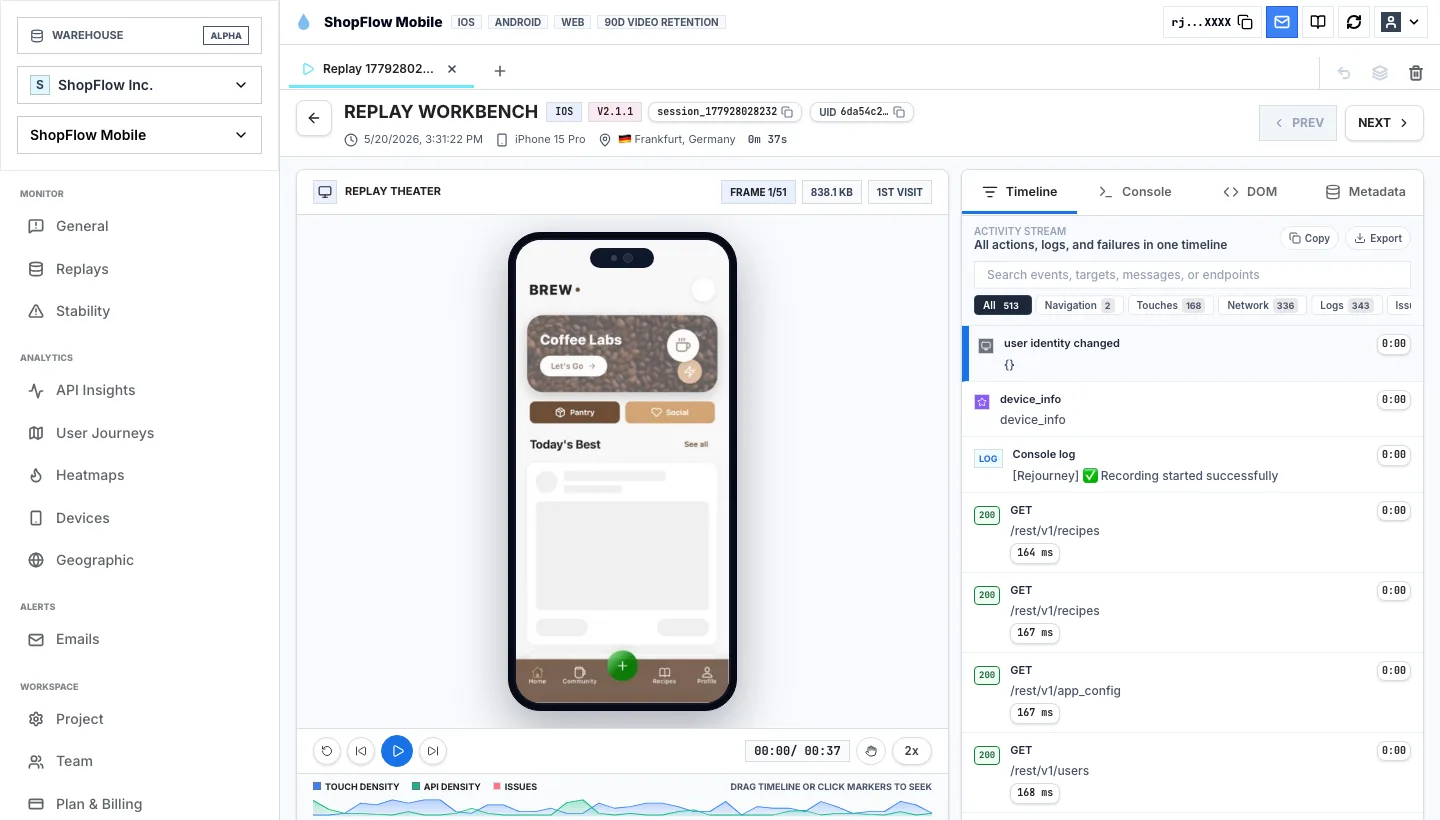
Session replay does not read minds. It reconstructs enough of the experience for a team to inspect what the user saw, clicked, tapped, waited through, retried, or abandoned.
Session replay guide
Session replay reconstructs a user experience so teams can inspect the visible path, the surrounding events, and the system signals around a confusing moment.
Read the practical answer first, then inspect the product without creating an account.
The short answer
Session replay does not read minds. It reconstructs enough of the experience for a team to inspect what the user saw, clicked, tapped, waited through, retried, or abandoned.
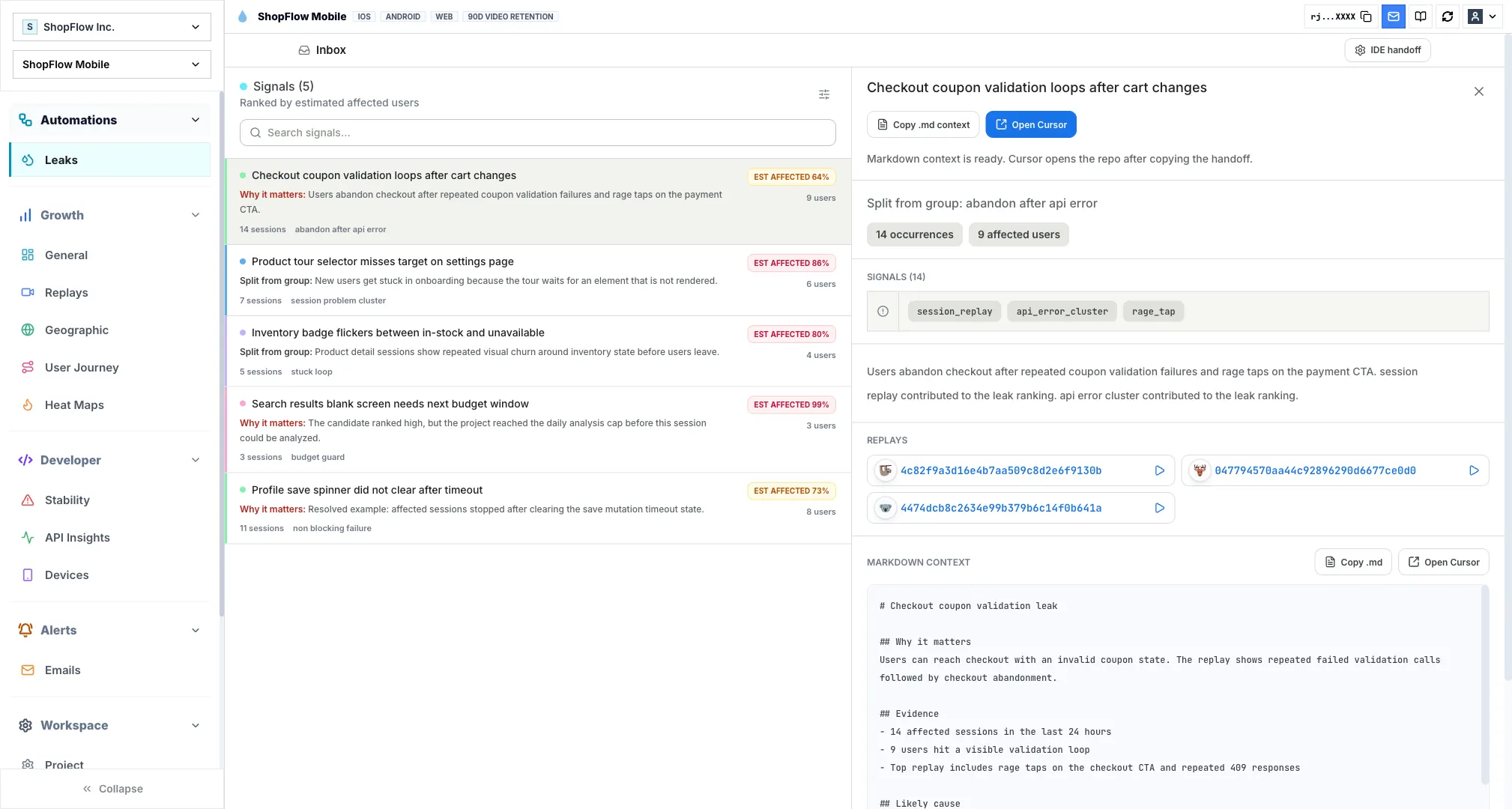
The replay is strongest when it carries context with it: product events, journeys, heatmaps, errors, device details, app or browser version, and network calls.
Rejourney uses replay as the center of the workflow for web and mobile teams, so product, support, and engineering can discuss the same user experience instead of trading screenshots and guesses.
From idea to evidence
1. Behavior context
Session replay does not read minds. It reconstructs enough of the experience for a team to inspect what the user saw, clicked, tapped, waited through, retried, or abandoned.
2. Debugging evidence
The replay is strongest when it carries context with it: product events, journeys, heatmaps, errors, device details, app or browser version, and network calls.
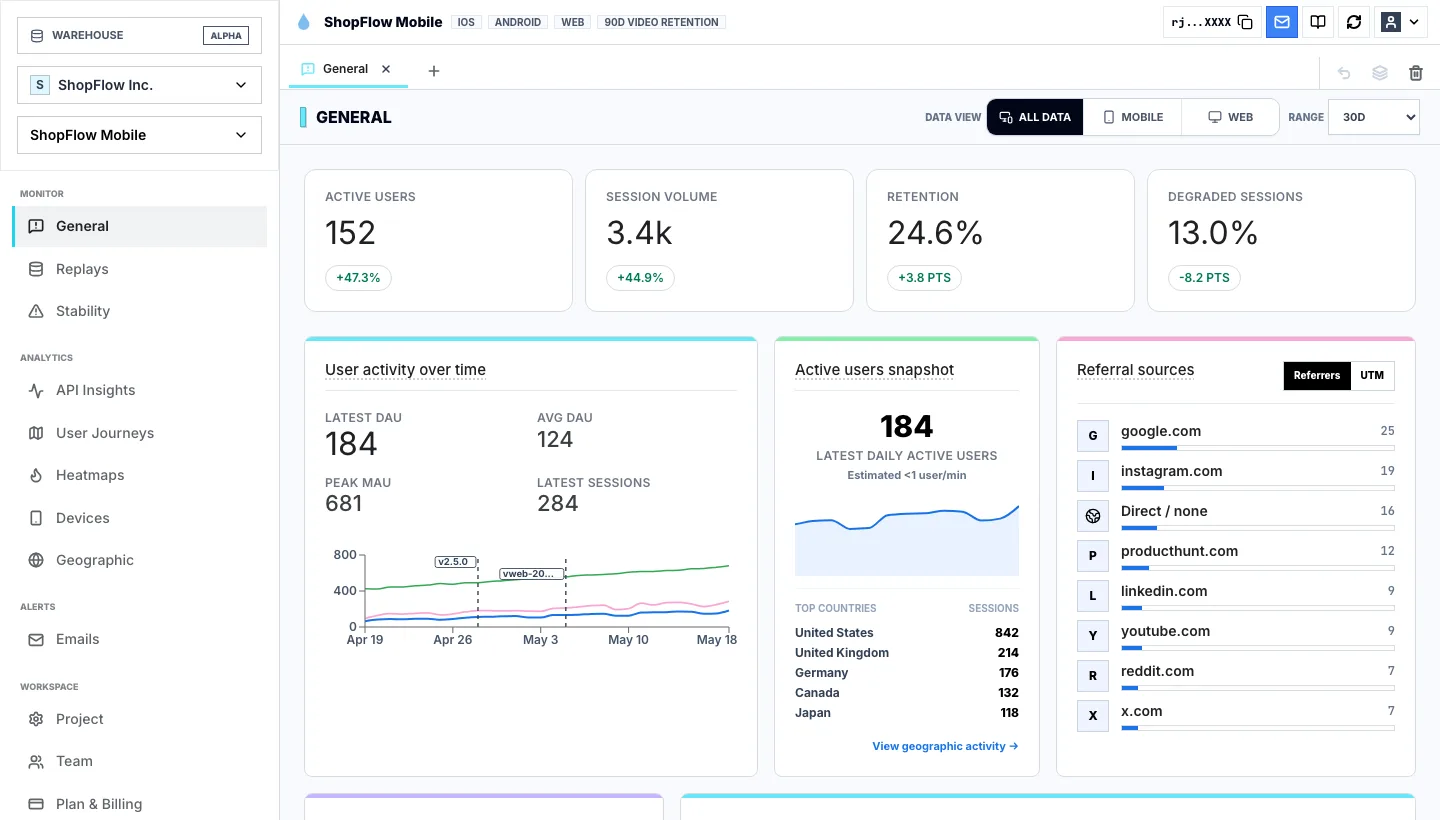
3. Product insight
Rejourney uses replay as the center of the workflow for web and mobile teams, so product, support, and engineering can discuss the same user experience instead of trading screenshots and guesses.
Keep exploring
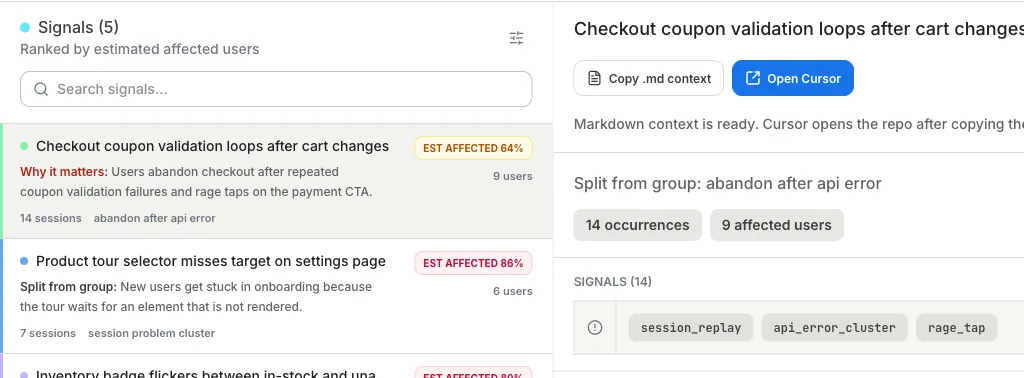
A session replay SDK captures interaction and interface state, then reconstructs the experience in a player. Rejourney also attaches events, heatmaps, journeys, crashes, and network context.
Yes. Mobile replay helps teams understand taps, gestures, screen paths, crashes, ANRs, and device-specific friction.
No. Product, design, support, and engineering teams all use replay to understand real user behavior and make better decisions.
Start with a real product
Start free with 5,000 monthly sessions, unlimited analytics events, and no credit card.