
Flutter SDK
The Rejourney Flutter package provides privacy-first session replay, native crash and ANR reporting, product events, network timing, and SDK health metrics for iOS and Android. Capture runs in native code while the public API, navigation integration, privacy masks, error hooks, and HTTP client are idiomatic Dart and Flutter.
Requirements
| Platform | Minimum |
|---|---|
| Flutter | 3.22 |
| Dart | 3.3 |
| iOS | 15.1 |
| Android | API 24 |
Installation
Add the package:
flutter pub add rejourneyFor a local checkout of this repository, use a path dependency instead:
dependencies: rejourney: path: ../../packages/rejourneyRun CocoaPods after adding the plugin to an existing iOS application if your normal Flutter build does not do so automatically:
cd ios && pod install && cd ..3 Line Setup
Configure once during startup and begin recording only after any consent your product requires:
import 'package:rejourney/rejourney.dart';await Rejourney.init('pk_live_your_public_key');await Rejourney.start();Rejourney.init never starts capture. This separation lets the application wait for an explicit consent result. Call Rejourney.stop() if consent is revoked.
if (await consentStore.canRecord()) { final result = await Rejourney.start(); debugPrint('session=${result.sessionId} replay=${!result.telemetryOnly}');}Pause and Resume (Beta, 0.4.1+)
Use the Beta pause API for a foreground camera, AR, or graphics-heavy route where you want the current session to remain open without capture overhead:
final paused = await Rejourney.pause();// Present the high-cost route.final resumed = await Rejourney.resume();Pause flushes pending work and emits sdk_paused, then stops native visual,
hierarchy, interaction, live-hang, network, and ordinary Dart/native telemetry
work. Resume continues the same foreground session and emits sdk_resumed with
the matching pauseId and gapDurationMs. Both calls are idempotent.
Fatal-process recovery remains armed during the gap. A background interval over
the intentional 60-second lifecycle boundary still rolls over the session; the
replacement remains paused until resume. Resume returns false while
backgrounded. This API is Beta and requires Flutter SDK 0.4.1 or newer. It
requires no Android manifest or iOS Info.plist additions.
Remote Recording Settings
Each start reads the project's current recording configuration. When the service is temporarily unavailable, the native SDK uses its cached configuration when possible and otherwise falls back to the local safe defaults.
| Setting | Behavior |
|---|---|
| Rejourney enabled | Remote kill switch for all session collection. |
| Recording enabled | Enables visual replay. Telemetry-only sessions may continue when replay is off. |
| Sample rate | Sampled-out sessions do not start native capture or upload work. |
| Maximum duration | Rolls over or ends sessions that reach the configured limit. |
| Recording FPS | Controls permitted replay capture frequency. |
| Text input privacy | Masks all text fields or secure fields only, based on project policy. |
| Image/video privacy | Masks image and video regions in native capture. |
Remote policy can make capture more restrictive than application configuration; it does not grant consent on the application's behalf.
Screen Tracking
Create one observer and add it to the root application navigator:
final rejourneyObserver = RejourneyNavigatorObserver();MaterialApp( navigatorObservers: <NavigatorObserver>[rejourneyObserver], routes: <String, WidgetBuilder>{ '/': (_) => const HomeScreen(), '/checkout': (_) => const CheckoutScreen(), },);The observer handles push, pop, replace, and remove operations and suppresses duplicate screen names. You can customize names:
final observer = RejourneyNavigatorObserver( routeNameResolver: (route) => route.settings.name?.replaceFirst('/', ''),);With a declarative Router package, call Rejourney.trackScreen('checkout') from its route-change callback or attach the observer through that package's navigator integration.
User Identification
Associate an internal identifier with the current and future session:
await Rejourney.setUserIdentity('user_abc123');// Clear it during logout.await Rejourney.clearUserIdentity();Use an internal ID or UUID. Hash email addresses or phone numbers before sending them if your product must use those values.
Custom Events
Track meaningful user actions to understand behavior patterns, debug issues, and filter session replays in the dashboard.
Basic Usage
// Simple event (name only)await Rejourney.logEvent('checkout_started');// Event with propertiesawait Rejourney.logEvent('purchase_completed', <String, Object?>{ 'transactionId': order.id, 'amount': order.total, 'currency': 'USD', 'paymentProvider': 'stripe',});API
Future<void> Rejourney.logEvent( String name, [ Map<String, Object?> properties = const <String, Object?>{},])| Parameter | Type | Required | Description |
|---|---|---|---|
name | String | Yes | Event name — use snake_case for consistency |
properties | Map<String, Object?> | No | Key-value pairs attached to this specific event occurrence |
Naming Conventions
Use stable, lowercase snake_case names. The preferred names below give Rejourney the cleanest signal for revenue, lifecycle, and future analysis features. The aliases are accepted for compatibility, but new instrumentation should use the preferred name.
| User action | Preferred event name | Compatible aliases |
|---|---|---|
| Purchase completed | purchase_completed | purchase_complete, purchase_success, purchase, order_completed, complete_purchase, conversion |
| Checkout started | checkout_started | checkout_start, begin_checkout |
| Product added to cart | add_to_cart | cart_add, addtocart, added_to_cart, product_added_to_cart |
| Product viewed | product_view | view_item, viewproduct |
| Signup completed | signup_completed | signup, sign_up, register, account_created |
| Login | login | sign_in |
| Paywall viewed | paywall_view | paywall_exposure, view_paywall |
| Plan selected | plan_selected | pricing_plan_selected, select_plan, pricing_viewed |
| Coupon used | coupon_use | coupon_used, apply_coupon |
| Trial started | trial_started | trial_start, begin_trial |
| Subscription started | subscription_started | subscription_start |
| Refund processed | refund_processed | refund, refund_completed, refunded |
| Subscription cancelled | subscription_cancelled | cancel, cancel_subscription, cancellation |
| Payment failed | payment_failed | payment_failure, charge_failed |
| Onboarding completed | onboarding_completed | onboarding_milestone, complete_onboarding |
| Feature used | feature_used | key_feature_used, use_feature |
| Ad viewed | ad_viewed | ad_impression, ad_seen, ad_shown, ad_displayed |
| Ad clicked | ad_clicked | ad_click, ad_tapped, ad_cta_clicked |
| Native ad viewed | native_ad_viewed | native_ad_impression, native_ad_shown |
| Native ad clicked | native_ad_clicked | native_ad_click, native_ad_tapped |
| Banner ad viewed | banner_ad_viewed | banner_ad_impression, banner_ad_shown |
| Banner ad clicked | banner_ad_clicked | banner_ad_click, banner_ad_tapped |
| Interstitial ad viewed | interstitial_ad_viewed | interstitial_ad_impression, interstitial_ad_shown |
| Interstitial ad clicked | interstitial_ad_clicked | interstitial_ad_click, interstitial_ad_tapped |
| Rewarded ad viewed | rewarded_ad_viewed | rewarded_ad_impression, rewarded_video_ad_viewed |
| Rewarded ad clicked | rewarded_ad_clicked | rewarded_ad_click, rewarded_video_ad_clicked |
| Video ad viewed | video_ad_viewed | video_ad_impression, video_ad_started |
| Video ad clicked | video_ad_clicked | video_ad_click, video_ad_tapped |
| Sponsored ad viewed | sponsored_ad_viewed | sponsored_ad_impression, sponsored_content_viewed |
| Sponsored ad clicked | sponsored_ad_clicked | sponsored_ad_click, sponsored_content_clicked |
| Variant selected | variant_selected | product_variant_selected, select_variant |
| Size selected | size_selected | product_size_selected, select_size |
| Color selected | color_selected | product_color_selected, select_color |
| Quantity changed | quantity_changed | quantity_updated, cart_quantity_changed |
| Reviews viewed | reviews_viewed | product_reviews_viewed, ratings_viewed |
| Shipping info viewed | shipping_info_viewed | shipping_details_viewed, delivery_info_viewed |
| Return policy viewed | return_policy_viewed | returns_viewed, refund_policy_viewed |
| Wishlist add | wishlist_add | add_to_wishlist, added_to_wishlist |
| Share clicked | share_clicked | share_tapped, product_shared |
| Upgrade clicked | upgrade_clicked | upgrade_cta_clicked, click_upgrade |
| Upgrade completed | upgrade_completed | upgraded, plan_upgraded |
| Discount offer viewed | discount_offer_viewed | discount_viewed, promo_offer_viewed |
| Discount offer accepted | discount_offer_accepted | discount_accepted, offer_accepted |
| Cancel flow started | cancel_flow_started | cancellation_started, subscription_cancel_flow_started |
| Cancel confirmed | cancel_confirmed | cancellation_confirmed, subscription_cancel_confirmed |
Use these property names when they apply:
| Meaning | Preferred property | Compatible aliases |
|---|---|---|
| Transaction id | transactionId | transaction_id |
| Order id | orderId | |
| Money amount | amount | value, price, cartValue, cart_value |
| Currency | currency | |
| Quantity | quantity | qty |
| Product id | productId | product_id, sku |
| Plan id | planId | plan_id, plan |
| Price id | priceId | price_id |
| Payment provider | paymentProvider | payment_provider |
| Renewal flag | isRenewal | is_renewal |
| Trial conversion flag | isTrialConversion | is_trial_conversion |
| Coupon code | couponCode | coupon_code, coupon |
Avoid inventing special Rejourney-only object fields. If your product already has useful domain properties, send them as ordinary custom event properties, but do not expect the SDK to infer app-specific business objects.
Examples
// E-commerceawait Rejourney.logEvent('purchase_completed', <String, Object?>{ 'transactionId': order.id, 'planId': 'pro', 'amount': 29.99, 'currency': 'USD', 'paymentProvider': 'stripe', 'isRenewal': false,});// Onboardingawait Rejourney.logEvent('onboarding_step', <String, Object?>{ 'step': 3, 'stepName': 'profile_setup', 'skipped': false,});// Feature usageawait Rejourney.logEvent('feature_used', <String, Object?>{ 'feature': 'dark_mode', 'enabled': true,});// Errors / edge casesawait Rejourney.logEvent('payment_failed', <String, Object?>{ 'errorCode': 'card_declined', 'retryCount': 2,});Revenue Mapping
The Revenue impact Custom events source uses the same logEvent payload. Use a real money-collected event such as purchase_completed; do not map setup or device events such as device_info, app_initialized, or screen-view events as revenue.
For the e-commerce example above, choose:
| Dashboard field | Value |
|---|---|
| Purchase event | purchase_completed |
| Amount property | amount |
| Currency property | currency |
| Default currency | USD |
| Amount unit | Dollars / major units |
transactionId is strongly recommended so retries and duplicate client/backend sends collapse into one revenue fact. If your event sends cents, for example <String, Object?>{'amount': 2999, 'currency': 'USD'}, choose Cents / minor units. Refund and lifecycle events are optional; leave them unset unless you log separate events such as refund_completed or subscription_cancelled.
How Events Appear in the Dashboard
Custom events are stored per-session and visible in two places:
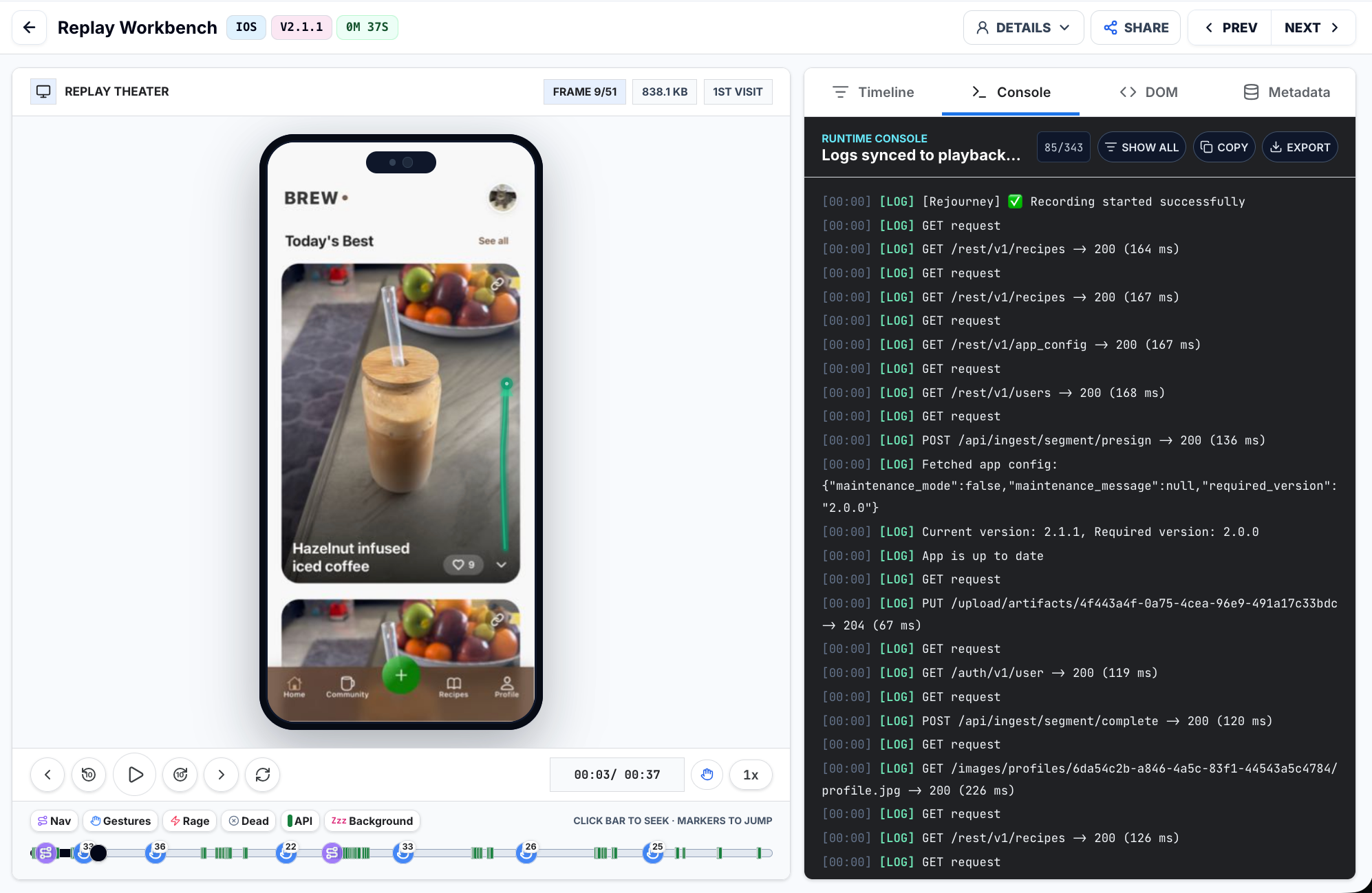
- Session Replay Timeline — Events appear as markers on the replay timeline so you can jump to the exact moment an action occurred.
- Session Archive Filters — Filter the session list by:
- Event name — Find all sessions containing a specific event (e.g.
purchase_completed) - Event property — Narrow further by property key and/or value (e.g.
planId = pro) - Event count — Find sessions with a specific number of custom events (e.g. more than 5 events)
- Event name — Find all sessions containing a specific event (e.g.
Best Practices
[!TIP]
- Use consistent naming (
snake_case, e.g.button_tappednotButton Tapped)- Keep property values simple (strings, numbers, booleans) — avoid deeply nested objects
- Focus on actions that matter for debugging or analytics — don't log everything
- Properties are for per-event context. For session-level attributes, use Metadata instead
Metadata
Metadata describes the session and replaces the current value for a key:
await Rejourney.setMetadata('plan', 'premium');await Rejourney.setMetadata(<String, Object?>{ 'role': 'admin', 'checkoutVariant': 'v2',});Channel values may be strings, numbers, booleans, null, lists, or maps with string keys. Unsupported objects are converted to strings.
Privacy Controls
RejourneyMask hides a Flutter-rendered region in captured replay frames without changing what the user sees:
RejourneyMask( child: TextFormField( obscureText: true, autofillHints: const <String>[AutofillHints.creditCardNumber], ),)The mask tracks layout changes, scrolling, and disposal. It complements native secure-field detection and project-level text/media privacy rules. Mask the smallest useful subtree and test the exact checkout, login, health, and account flows your application ships.
Error Capture
Install error handlers before runApp:
Future<void> main() async { WidgetsFlutterBinding.ensureInitialized(); await Rejourney.init('pk_live_your_public_key'); RejourneyErrorCapture.install(); runApp(const App());}This records Flutter framework exceptions and uncaught root-isolate errors,
then preserves previously installed handlers. Do not initialize Flutter
bindings in one Dart zone and call runApp in another. If the application
already uses runZonedGuarded, put WidgetsFlutterBinding.ensureInitialized,
Rejourney setup, and runApp inside that same guarded zone. Native crash and
Android ANR capture are separately controlled by captureCrashes and
captureAnrs.
Rejourney.debugCrash() intentionally crashes the native process and Rejourney.debugTriggerAnr() intentionally blocks the native main thread. Use them only in a disposable debug build.
Network Capture
Wrap package:http calls when you want request timeline markers:
final client = RejourneyHttpClient();try { final response = await client.get(Uri.parse('https://api.example.com/catalog')); // Consume response.body as usual.} finally { client.close();}The wrapper records method, URL, status, timing, content type, and byte sizes. It does not inspect bodies. Rejourney ingestion endpoints are excluded automatically; configure additional patterns with networkIgnoreUrls.
For Dio, gRPC, GraphQL, or another client, use its interceptor to call Rejourney.logNetworkRequest(RejourneyNetworkRequest(...)) after completion.
Configuration Reference
await Rejourney.init( 'pk_live_your_public_key', config: const RejourneyConfig( enabled: true, observeOnly: false, captureQuality: RejourneyCaptureQuality.medium, stopTimeout: Duration(seconds: 10), detectRageTaps: true, rageTapThreshold: 3, rageTapTimeWindow: Duration(milliseconds: 500), captureCrashes: true, captureAnrs: true, autoTrackNetwork: true, networkIgnoreUrls: <String>['/health', 'telemetry.example.com'], disableInDevelopment: true, ),);| Option | Default | Purpose |
|---|---|---|
apiUrl | Rejourney cloud | Base URL for cloud or self-hosted ingestion. |
enabled | true | Local SDK switch. |
observeOnly | false | Collect telemetry without visual capture. |
captureFps | remote/default | Local upper capture frequency. |
maxSessionDuration | remote/default | Local maximum session duration. |
stopTimeout | 10 seconds | Bounds how long stop() waits; native persistence continues after a timeout. |
disableInDevelopment | false | Prevent start in debug builds. |
captureQuality | medium | Native frame compression preset. |
wifiOnly | false | Restrict artifact upload to Wi-Fi. |
captureScreen | true | Permit replay frame capture. |
captureAnalytics | true | Permit behavioral analytics. |
captureCrashes | true | Enable supported native crash handling. |
captureAnrs | true | Enable Android ANR observation. |
trackConsoleLogs | true | Include supported diagnostic logs. |
collectDeviceInfo | true | Include device and application context. |
collectGeoLocation | true | Include coarse network-derived location when supported. |
autoTrackNetwork | true | Enable supported request instrumentation. |
captureNativeSheets | true | Capture supported native modal surfaces. |
networkCaptureSizes | true | Include request/response byte sizes. |
When collectDeviceInfo is enabled, Rejourney also records coarse session
quality context: battery start/end/change, thermal state, memory pressure and
headroom buckets, font scale, light/dark style, layout direction, orientation,
and maximum display refresh rate. Native collection is driven by lifecycle
boundaries and OS callbacks, not polling, and requires no Android manifest
permission or iOS usage-description key. Disable collectDeviceInfo to omit it.
Lifecycle and Advanced API
Rejourney.getSessionId()returns the active identifier.Rejourney.stop()flushes and closes the active session.Rejourney.markVisualChange(reason)requests an immediate frame when capture policy permits it.Rejourney.onScroll(offset)informs adaptive visual capture about scrolling.Rejourney.onOAuthStarted,onOAuthCompleted, andonExternalUrlOpenedhandle external-screen boundaries.Rejourney.logFeedback(rating, message)adds feedback to the timeline.Rejourney.getSdkMetrics()exposes upload, retry, queue, eviction, crash, session, capture-source, fallback, and readback timing counters.Rejourney.nativeEventsexposes native session lifecycle messages.
Android GPU Capture Compatibility
Flutter normally renders Android content into a GPU-backed
FlutterSurfaceView. Some renderer/device combinations can report a successful
Android PixelCopy while returning an entirely black bitmap. Rejourney 0.2.1
detects that false-success result automatically, including cases where a small
native toast appears over the black Flutter layer. During an affected
recording, it captures Flutter's retained layer tree at reduced replay
resolution without replacing or pausing the application's live
FlutterSurfaceView. Compatibility captures are spaced out, while explicit
visual-change captures wait briefly for the UI to settle. You do not need to
change the application's Flutter render mode.
Use the SDK metrics when validating an affected device:
final metrics = await Rejourney.getSdkMetrics();debugPrint( 'source=${metrics.lastCaptureSource} ' 'blackFallbacks=${metrics.flutterBlackFrameFallbackCount} ' 'retainedLayerFrames=${metrics.flutterRendererCaptureCount} ' 'retainedLayerAvgMs=${metrics.averageFlutterRendererReadbackMs}',);lastCaptureSource is normally flutter_surface_pixel_copy. After the
compatibility path activates it is flutter_retained_layer. Existing
flutterRendererCaptureCount and averageFlutterRendererReadbackMs metric
names describe retained-layer captures.
Verify the Integration
- Run the application on both an iOS simulator/device and an Android emulator/device.
- Accept the application's recording consent and confirm
Rejourney.start()returnssuccess: truewith a session ID. A deliberately disabled test configuration should returnerror: disabledwithout network access. - Navigate between named routes and emit a test event.
- Exercise masked inputs and inspect replay output before enabling production sampling.
- Consume an HTTP response through
RejourneyHttpClientand confirm its request marker appears. - Call
getSdkMetrics()to verify the native bridge and health counters. - Validate debug crash and ANR capture only in disposable builds.
The repository includes two working applications: the package example in packages/rejourney/example and a consumer-style app in examples/flutter.
Troubleshooting
- MissingPluginException: stop the app completely, run
flutter clean, fetch packages, and rebuild; hot reload cannot install a new native plugin. - iOS deployment target error: set the application deployment target to iOS 15.1 or newer and run
pod installagain. - Android minSdk error: set
minSdkto 24 or newer. - Android replay is black: use Rejourney 0.2.1 or newer and inspect the capture-source metrics above. The SDK changes capture paths automatically; do not force texture mode as a permanent application workaround.
- No session starts: check consent flow,
enabled,disableInDevelopment, the dashboard kill switch, project sample rate, and network access. - No route names: assign names in
RouteSettingsor providerouteNameResolver. - Network marker delayed: consume or drain the streamed response; the wrapper records its final byte count when the stream completes.
- Sensitive content visible: wrap the exact subtree with
RejourneyMask, verify native project privacy settings, and repeat replay QA before release.
License
The Flutter API, platform bridges, native core, examples, and documentation are licensed under the Apache License 2.0. See the package license and third-party notice files for details.